
Clock
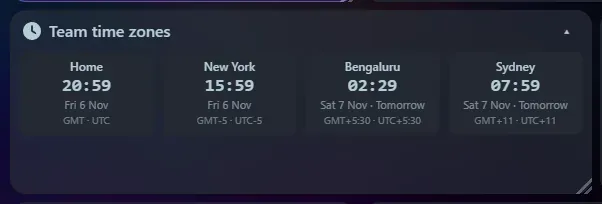
Shows your local time, or any number of time zones in one tile. Each zone shows its name, IANA zone, abbreviation and UTC offset. With several zones, a zone whose date differs from yours is marked “Tomorrow” or “Yesterday”.
Settings
Section titled “Settings”- Time zones: leave the zone blank for your local time, or type an IANA name such as
Europe/London(the box suggests names as you type). Name each zone however you like. - Quick add: one click adds popular zones (UTC, London, New York, Los Angeles, Paris, Dubai, Mumbai, Tokyo, Sydney).
- Layout when there is more than one: a stacked List or side-by-side Mini tiles.
- 12-hour or 24-hour clock, and seconds on or off.
Two layouts
Section titled “Two layouts”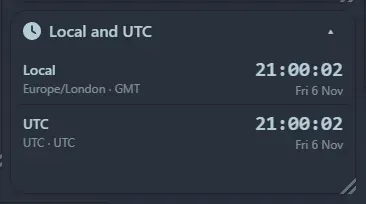
List gives one row per zone with a larger time. Mini tiles lay the zones out side by side and wrap onto further rows when the tile is narrow, which is ideal for a wide, short tile along the top of the page. With a single zone the widget shows one large clock.
Support the project: Buy Me a Coffee or GitHub Sponsors.