
v0.2.0-beta
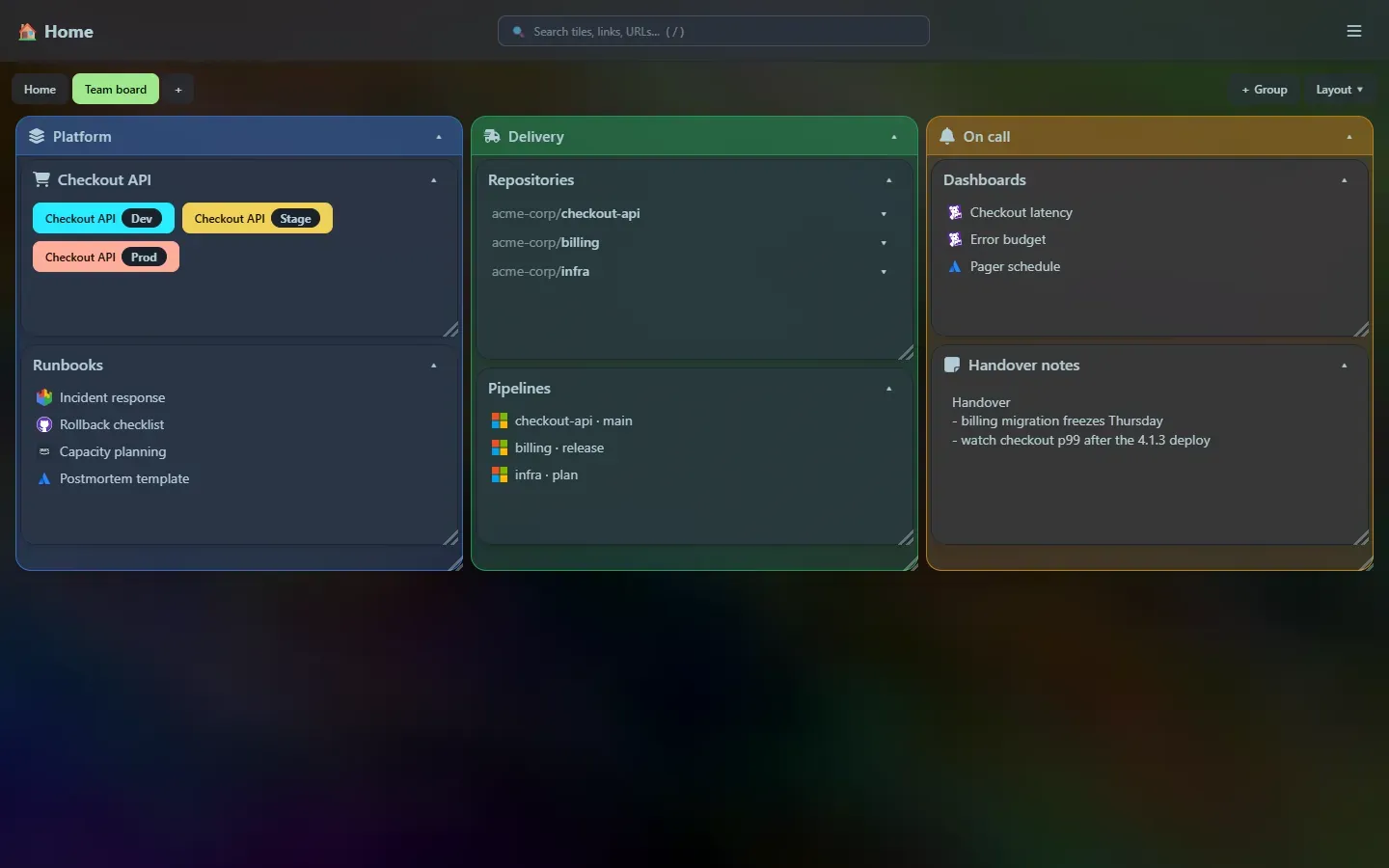
A UI overhaul. Home Screen can now organise a lot more tiles without becoming a mess.
What is new
Section titled “What is new”- Groups. A coloured box that holds other tiles, with its own grid. It moves, resizes and collapses as one, and tiles drag in and out of it. Groups and colours
- Colours for every tile. Eleven theme-matched accents tint a tile’s title bar and border, and turn a group into a tinted box.
- Layout modes. Besides the free grid, a page can be split into 2, 3, 4 or 6 equal columns. Layout
- Auto-arrange. Sort A–Z, group by type, balance into columns, reset tile sizes, collapse or expand everything: one click each, from the new Layout menu or the launcher. Arrange now
- Pages. Several dashboards as tabs, each with its own tiles and layout mode. The launcher searches all of them. Pages
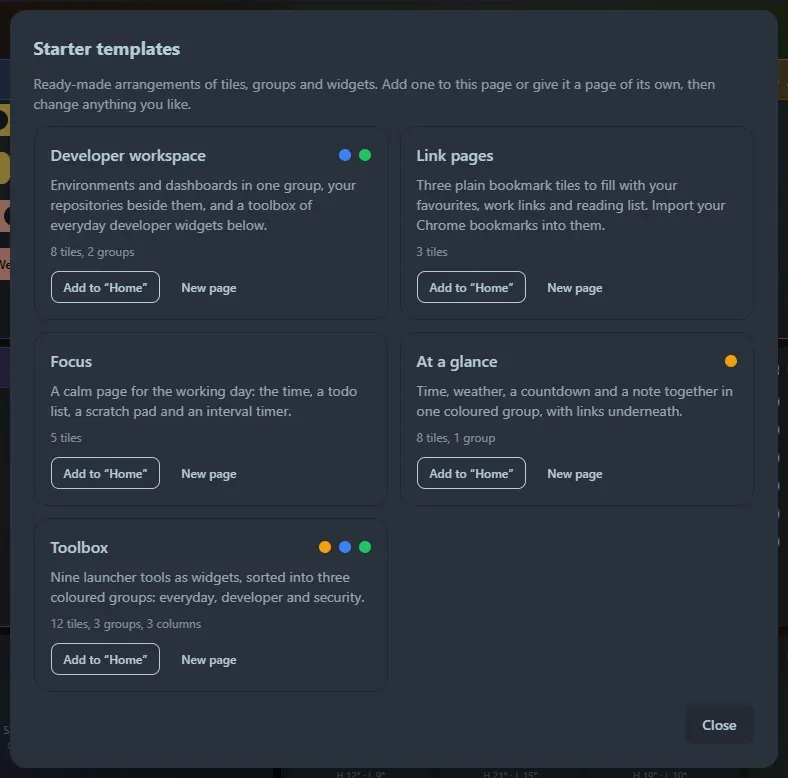
- Starter templates. Developer workspace, Link pages, Focus, At a glance and Toolbox, offered on every empty page and from the Layout menu. Templates
- A quieter title bar. The edit button now appears only when you point at the title bar (always shown on touch screens).
- Smarter new tiles. New tiles go to the shortest column in column modes, and into the group you add them from.
Upgrading
Section titled “Upgrading”- Your database upgrades itself the first time the new version starts: the new columns are added in place, your tiles keep their positions, and everything lands on a first page called Home. Back up
home_screen.dbfirst anyway, as for any upgrade: see Data and backup. - Going back is one-way. An older version ignores the new columns, so it shows your tiles but not your pages, groups or colours. Keep the backup if you may roll back.
- The HTTP API gains pages, and tiles gain
color,parent_idandpage_id. See the HTTP API.
Numbers
Section titled “Numbers”| Executable | 1.1 MB (752 KB compressed) |
| Tests | 619 passing |
See Metrics.
Support the project: Buy Me a Coffee or GitHub Sponsors.