
QR code generator
Type qr <text or URL> (or qrcode). A live code appears.
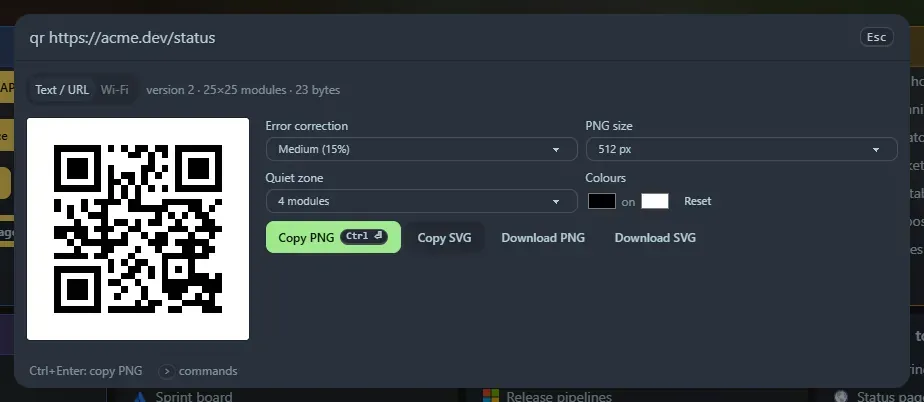
- Text / URL encodes whatever you typed after
qr. - Wi-Fi takes a network name, password, security type (WPA, WEP or none) and a hidden flag, and makes the code phones read as “join this network”.
Options
Section titled “Options”- Error correction (7 %, 15 %, 25 % or 30 %): more correction survives damage but makes a denser code.
- PNG size from 256 to 2048 px, and quiet zone (the blank border; 4 modules is the standard).
- Colours. Dark on light scans most reliably, and a warning appears for light-on-dark.
Buttons
Section titled “Buttons”Copy PNG (Ctrl+Enter) copies the image itself, so you can paste it into chat or a document. Copy SVG copies the markup. Download PNG and Download SVG save files.
Text is encoded as UTF-8, so accents, € and emoji scan correctly. It tells you when the data is too long for a QR code (about 2,900 bytes at the lowest error-correction level).
Privacy
Section titled “Privacy”Text and URL codes you copy or download appear in Recent. Wi-Fi codes never do, because they contain the password.
Support the project: Buy Me a Coffee or GitHub Sponsors.