
Pages and starter templates
A page is a separate dashboard with its own tiles, groups and layout mode. Use pages for the way you work: a Work page and a Home page, one per project, or a busy Everything page next to a calm Focus one.
The pages appear as tabs above the grid. Your choice is remembered per browser, so each machine opens on the page you used last.
| To | Do this |
|---|---|
| Switch page | Click its tab, or > Go to page: … in the launcher |
| Add a page | + after the last tab |
| Rename the current page | Double-click its tab, or Layout → Rename… |
| Reorder pages | Layout → Move left / Move right |
| Delete the current page | Layout → Delete page… (it deletes the page’s tiles; the last page cannot be deleted) |
| Move a tile to another page | Choose the page in the tile editor |
The launcher searches every page and switches to the right one when you pick a result. Once you have more than one page, results show the page name. The search box above the grid filters the current page only.
Starter templates
Section titled “Starter templates”A template is a ready-made arrangement of tiles, groups and widgets, so a new or empty page starts from something useful instead of nothing.
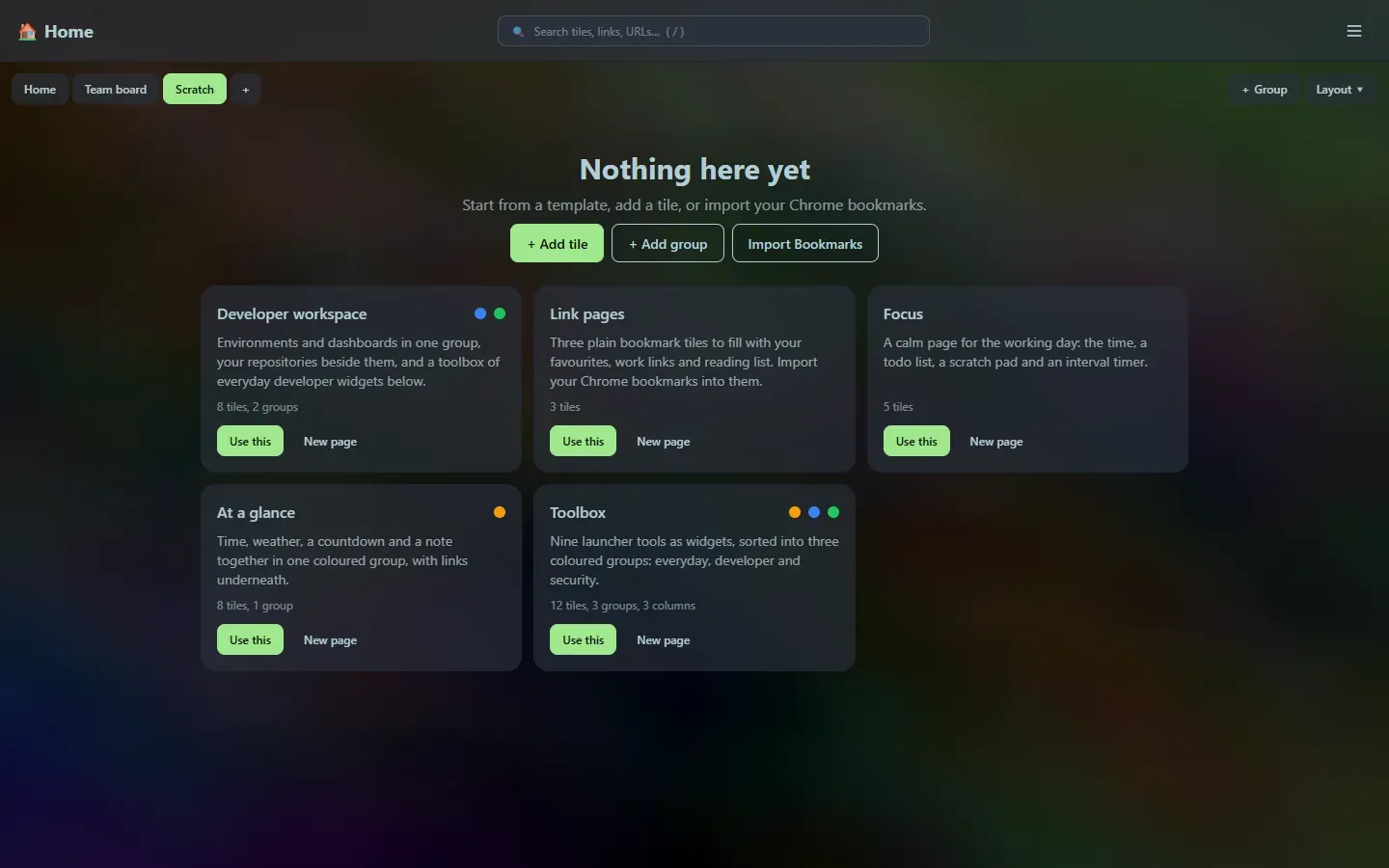
An empty page offers the templates straight away. At any other time open Layout → Starter templates… (or > Starter templates, or ☰ → Starter templates).
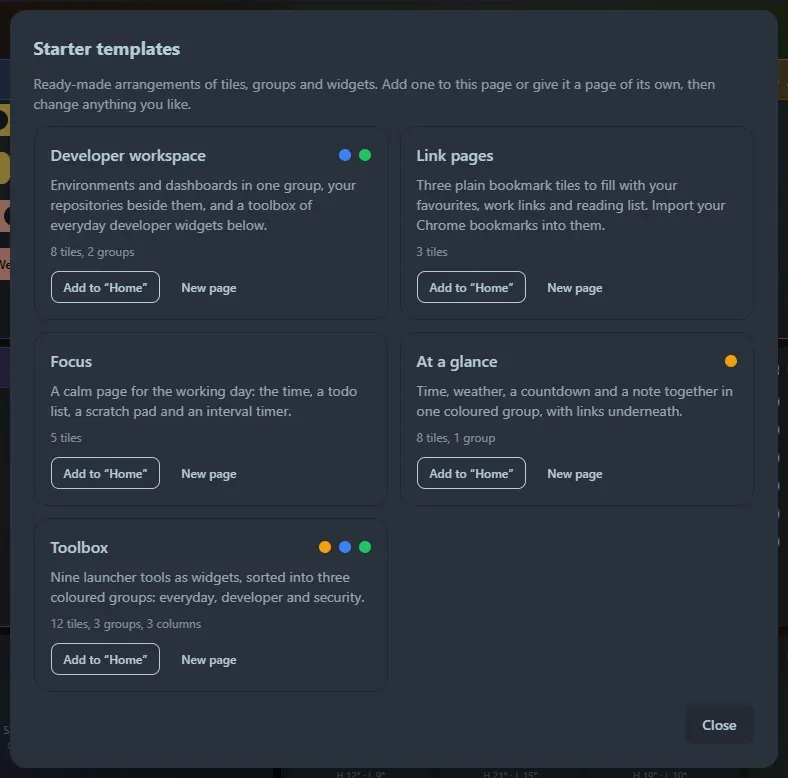
For each template choose:
- Use this (or Add to “page” when the page already has tiles): adds its tiles below what is there.
- New page: gives the template a page of its own, in the layout mode the template was designed for.
| Template | What you get |
|---|---|
| Developer workspace | An Environments group (a developer tile and a links tile), a GitHub repositories tile, a Toolbox group with the JSON formatter and Base64 widgets, and a clock. |
| Link pages | Three bookmark tiles (Favourites, Work, Reading list) ready for importing your Chrome bookmarks. |
| Focus | Clock, todo list, notes, an interval timer and a countdown. |
| At a glance | A coloured group with clock, weather, countdown and notes, plus three link tiles. |
| Toolbox | Nine launcher tools as widgets in three coloured groups (everyday, developer, security). As a new page it uses three-column mode. |
Templates are only a starting point. Every tile they create is an ordinary tile: rename it, recolour it, move it, delete it. The example links and addresses (such as dev.example.com) are placeholders for you to replace.
Support the project: Buy Me a Coffee or GitHub Sponsors.