
Settings
Open ☰ → Settings. Changes apply instantly and are saved.
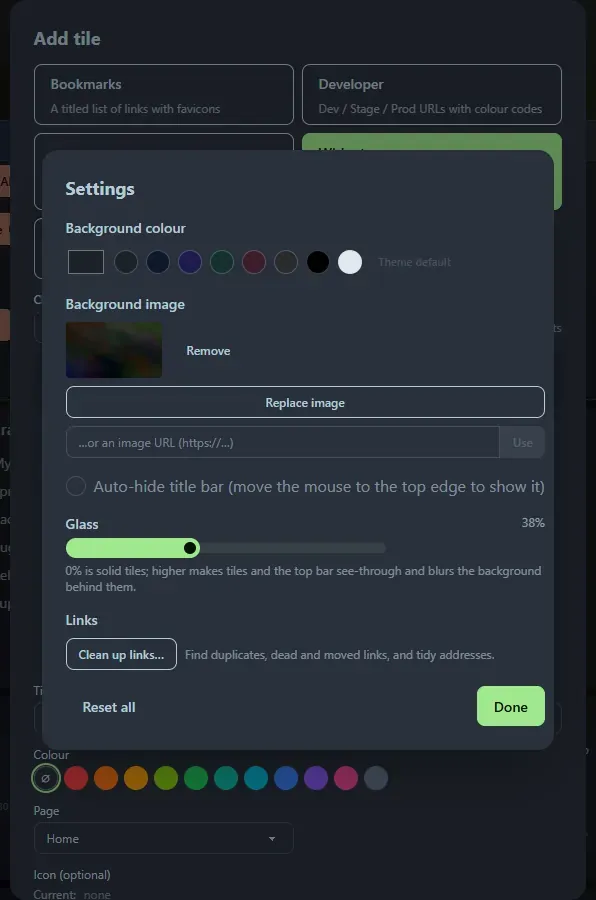
- Background colour: a colour picker and swatches, or Theme default to go back to the built-in dim theme colour.
- Background image: upload an image or paste a URL. It covers the page and stays fixed while you scroll.
- Glass: a 0 to 100 % slider. At 0 % tiles and the top bar are solid; higher values make them see-through and blur the background behind them.
- Auto-hide title bar: on by default. Move the mouse to the top edge to bring the bar back.
- Links → Clean up links… opens Clean up.
- Reset all clears the colour, image and glass settings.
Uploaded images accept PNG, JPEG, GIF, WebP and AVIF, and are stored in the database.
Support the project: Buy Me a Coffee or GitHub Sponsors.