
Tiles
Create a tile with + Add tile above the grid, or from ☰ → + Add tile. Point at a tile’s title bar and click the ✎ to edit or delete it (the button appears when you hover; on touch screens it is always shown). There is no limit on how many tiles you have.
Every tile can have a colour, and can sit on a page and inside a group.
Bookmarks
Section titled “Bookmarks”A titled list of links. Each row shows the site’s favicon and the link title. Add as many links as you like.
Developer
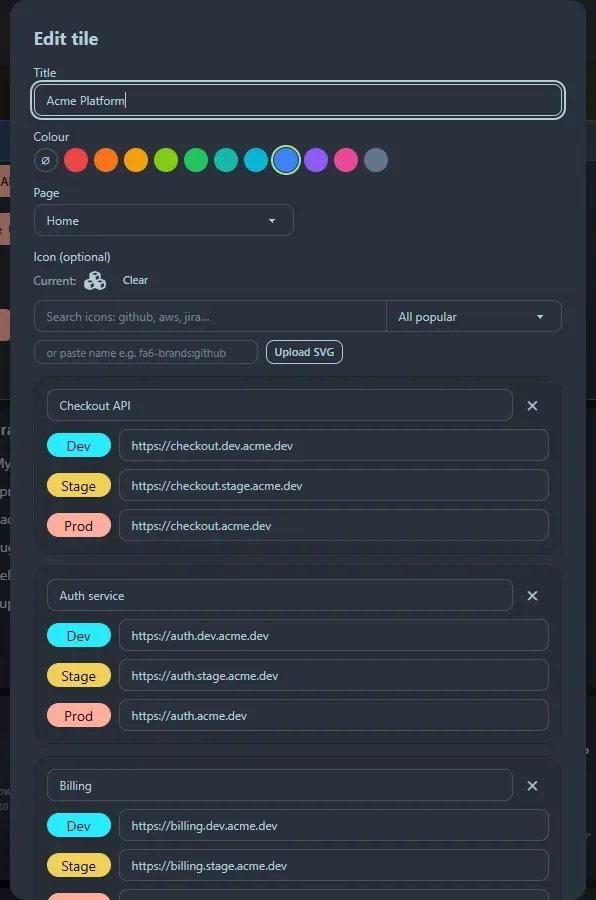
Section titled “Developer”For services that exist in several environments. Each service has a name and optional Dev, Stage and Prod addresses, shown as coloured buttons labelled {Name} {Env}: Dev is blue, Stage is amber and Prod is red. Use + Add service to put several services in one tile.
GitHub repos
Section titled “GitHub repos”A list of repositories. Each row links to the repository and has a ▾ dropdown with Code, README, Compare, Pull requests, Issues and Actions.
Set an optional default owner (for example acme-corp) and then enter only repository names. owner/repo and full GitHub URLs also work and override the default owner.
Widget
Section titled “Widget”Pick from the widget gallery: clocks, weather, calculators, generators and developer tools. The title and icon fill in for you when you pick one, and the widget’s own settings appear underneath.
A coloured box that holds other tiles. See Groups and colours.
Click a tile’s title bar, or the ▾ button, to collapse it to just its header. The tiles below move up to fill the space. See Layout.
Support the project: Buy Me a Coffee or GitHub Sponsors.