
Home Screen
Every link, tool and widget you reach for at work, on one fast, private start page. One small binary, no accounts, no cloud.
What is Home Screen?
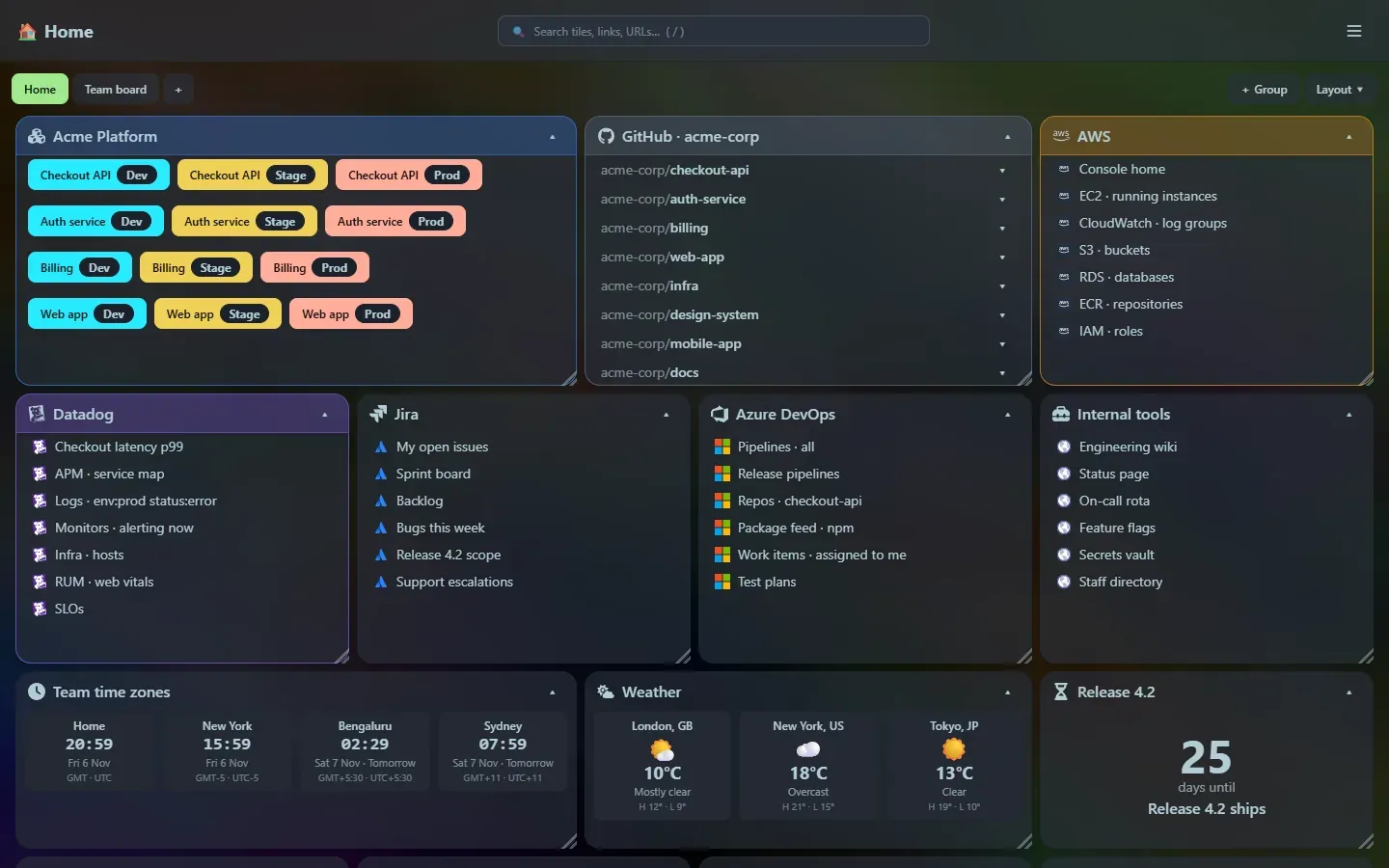
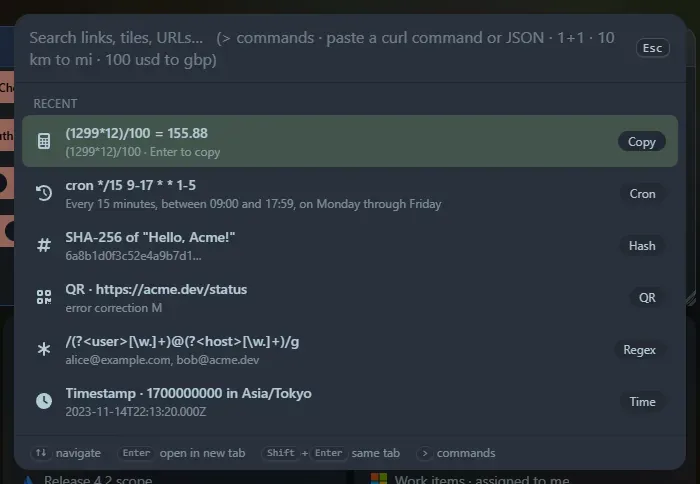
Section titled “What is Home Screen?”Home Screen is a start page for your browser, built for people who juggle a lot of links. It is a grid of tiles you arrange yourself, a launcher (Ctrl+P) that searches everything and doubles as a toolbox, and a set of small widgets. It runs as a single program on your own machine and keeps everything in a local database.
- Organise dev, stage and production URLs, GitHub repositories, AWS consoles, Datadog queries, Jira and DevOps filters, pipelines and internal tools into tiles you can drag, resize and collapse.
- Find anything with one search box, then jump straight to a link, a repository’s pull requests, or a tool.
- Do small jobs without leaving the page: calculate, convert units and currencies, decode a JWT, format JSON, test a regex, preview Markdown, generate a QR code or a password, and more. Every one of those tools is also a widget.
- Stay private: it only listens on your machine, has no accounts, and sends nothing to a server of ours.
At a glance
Section titled “At a glance”| Size of the program | 1.1 MB for the whole app, web interface included |
| Start-up | about 48 ms to be ready |
| Memory at rest | about 5.9 MB |
| Widgets | 47 (including every launcher tool) |
| Launcher tools | 40, plus search and commands |
| Dependencies you need | none: no runtime, no installer, no database server |
See the full metrics and how it is built.
Where to next?
Section titled “Where to next?”- New here? Read why it exists and the feature tour.
- Ready to try it? Follow Install and set it as your home page.
- Looking for a particular tool? Browse the launcher or the widgets.
- Want to know what is coming? See the roadmap and the release notes.
Support the project: Buy Me a Coffee or GitHub Sponsors.