
Commands
Start with > (or press Ctrl+Shift+P, which opens the launcher with > already typed) to run commands.
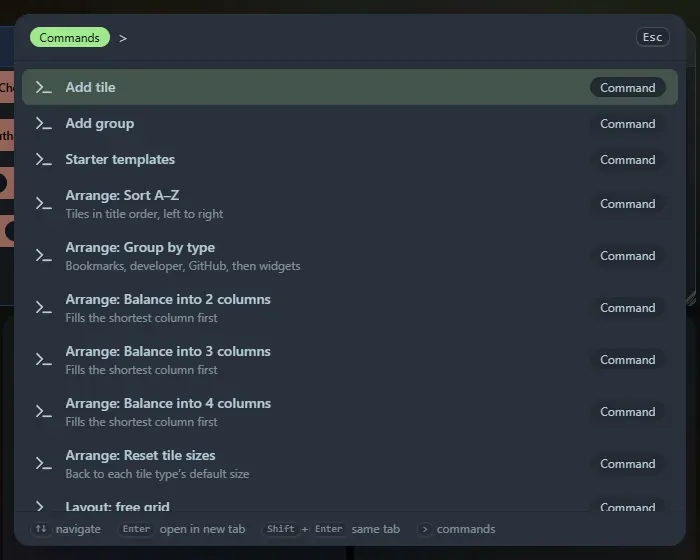
| Command | What it does |
|---|---|
| Add tile | Opens the add-tile dialog |
| Add group | Opens the add-group dialog |
| Starter templates | Opens the starter templates |
| Arrange: Sort A–Z, Group by type, Balance into 2, 3 or 4 columns, Reset tile sizes | Auto-arranges the current page |
| Layout: free grid, 2, 3, 4 or 6 columns | Switches the current page’s layout mode |
| Go to page: name | Switches to that page (one command per page) |
| Import Bookmarks | Opens the Chrome bookmarks import |
| Clean up links | Opens Clean up: duplicates, dead and moved links, tidy-ups |
| Open Settings | Opens settings |
| Collapse all tiles | Collapses every tile to its header |
| Expand all tiles | Expands every tile |
| Enable or disable title bar auto-hide | Toggles the auto-hiding top bar |
Type after the > to filter, for example > coll.
Support the project: Buy Me a Coffee or GitHub Sponsors.