
Features
The dashboard
Section titled “The dashboard”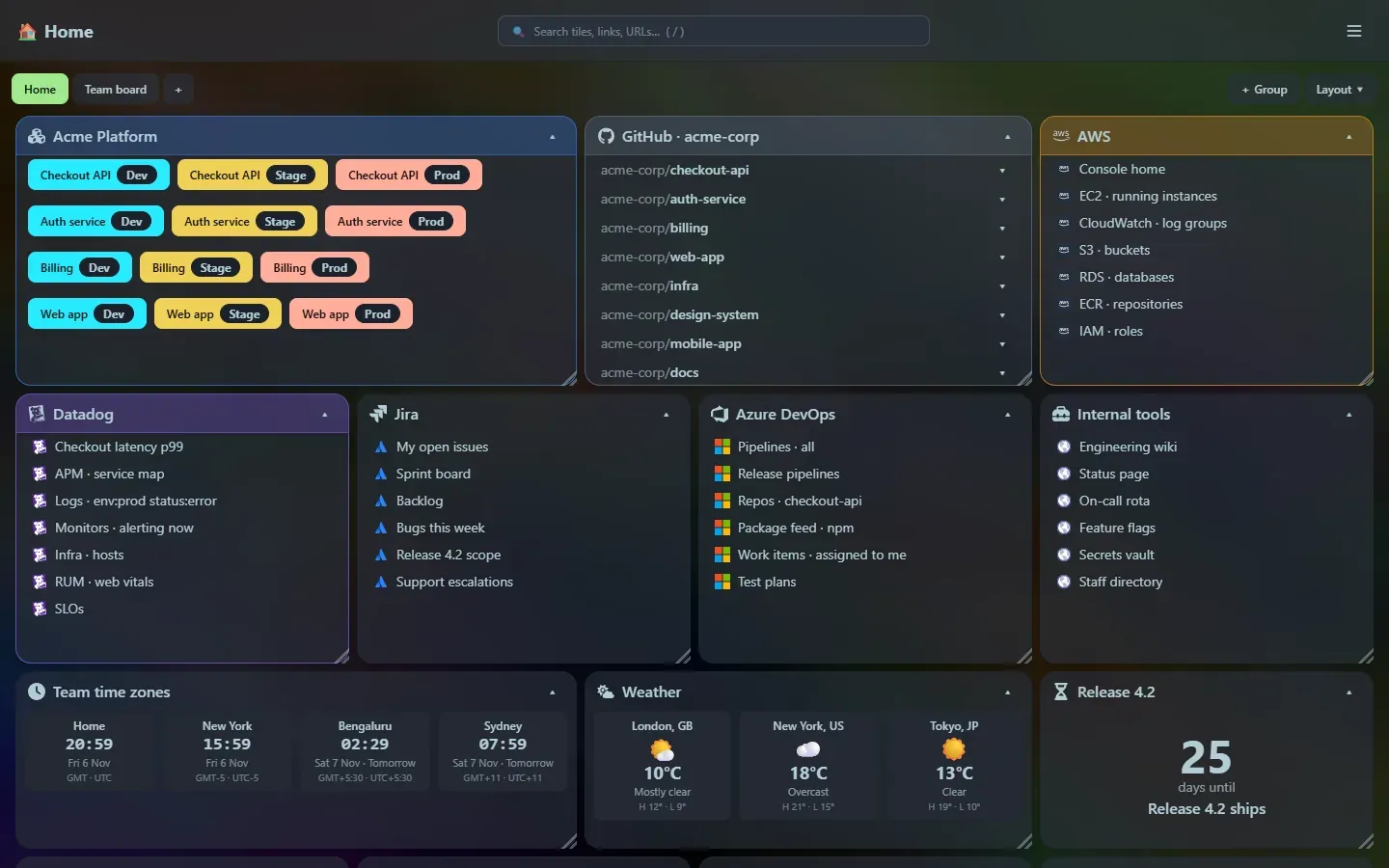
- Tiles you arrange: drag a tile by its title bar, resize it from the corner, collapse it like an accordion. Positions are saved. Layout
- Groups: coloured boxes that hold other tiles, with their own grid, that move, resize and collapse as one. Groups and colours
- Colours: tint any tile or group from a palette that suits the theme. Colours
- Layout modes and auto-arrange: a free grid or 2, 3, 4 and 6 equal columns, plus one-click sort, group-by-type and balance commands. Layout
- Pages: several dashboards as tabs, each with its own tiles and layout mode. Pages
- Starter templates: start from a developer workspace, link pages, a focus page and more. Templates
- Four tile types, plus groups: bookmarks, developer environments, GitHub repositories and widgets. Tiles
- Icons: thousands of icons by name (Font Awesome brands, Simple Icons, Material and more) or your own SVG. Icons
- Search: filter tiles, link titles and partial URLs live. Search
- Import: bring in a Chrome bookmarks export and sort links into tiles by domain. Import bookmarks
- Clean up: find duplicate links across every page, check for dead and moved links, and tidy addresses, with undo. Clean up links
- Look and feel: background colour or image, adjustable glass effect, auto-hiding title bar. Settings
The launcher
Section titled “The launcher”Press Ctrl+P anywhere on the dashboard. It searches your tiles and links, remembers what you used, and recognises what you type:
| Type this | You get |
|---|---|
billing |
tiles, links and repositories that match |
(1299*12)/100, 72 f to c, 250 usd to gbp |
calculator, unit and currency converters |
a curl … command |
a tidy breakdown you can run |
| JSON, a JWT, CSV, Markdown | formatters, decoders and previews |
qr https://…, password 24, uuid, hash … |
generators |
yaml …, chmod 755, cidr 10.0.0.0/24, hex ff, snake some text |
developer and network helpers |
google …, caniuse grid, og https://…, status 404 |
web search, browser support, link previews and HTTP reference |
ping host, trace host, dns example.com MX |
ping, traceroute and DNS records, run from the machine that runs Home Screen |
> |
commands (add tile or group, arrange, layout, go to page, import, settings) |
Launcher overview · Search · All tools
Widgets
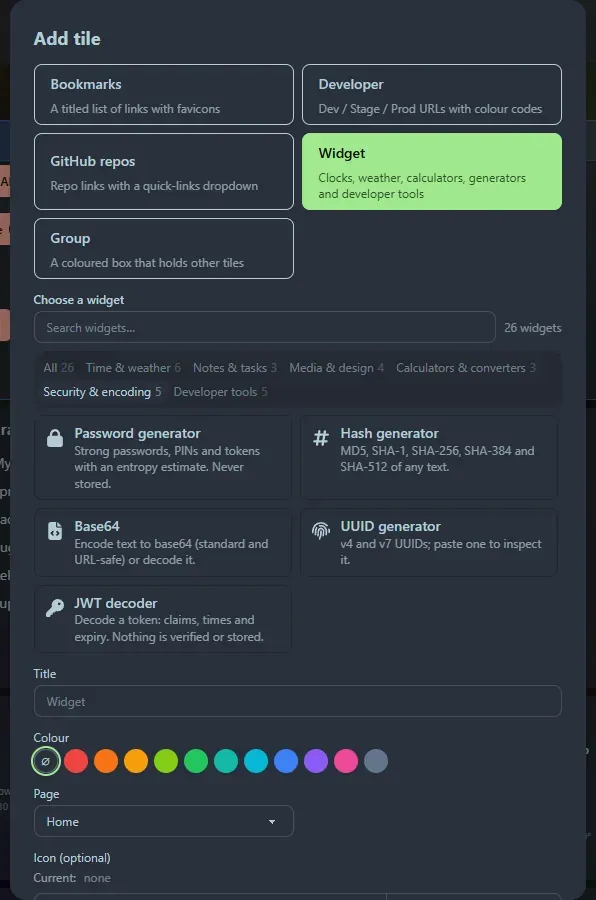
Section titled “Widgets”47 widgets in six categories, picked from a searchable gallery: clocks and weather for several places at once, notes, a keyboard-driven todo list, a countdown, an interval timer, a carousel, a colour picker, and every launcher tool as a tile of its own. Widgets
Built to stay out of your way
Section titled “Built to stay out of your way”- Single binary: 1.1 MB, nothing to install first. Metrics
- Private by design: local only, no accounts, secrets are never written to disk unless you copy them into history. Privacy
- Keyboard first: every launcher tool and the todo widget are driven from the keyboard. Shortcuts
- Honest about the network: icons, favicons, weather and currency rates come from named public services only when used.
- Easy to back up: one SQLite database next to the program. Data and backup
- Extensible: adding a widget or a launcher tool is one small module. Extending
Runs anywhere
Section titled “Runs anywhere”Builds for Windows, Linux (Intel/AMD and Arm) and macOS (Apple silicon and Intel), plus a small Alpine-based Docker image with Compose files for running behind Caddy with HTTPS and a password. See Install and Docker. A locked mode that disables editing is on its way.
Support the project: Buy Me a Coffee or GitHub Sponsors.