
Timestamp converter
Paste or type a time and see it in every form. Each row is copyable with Enter.
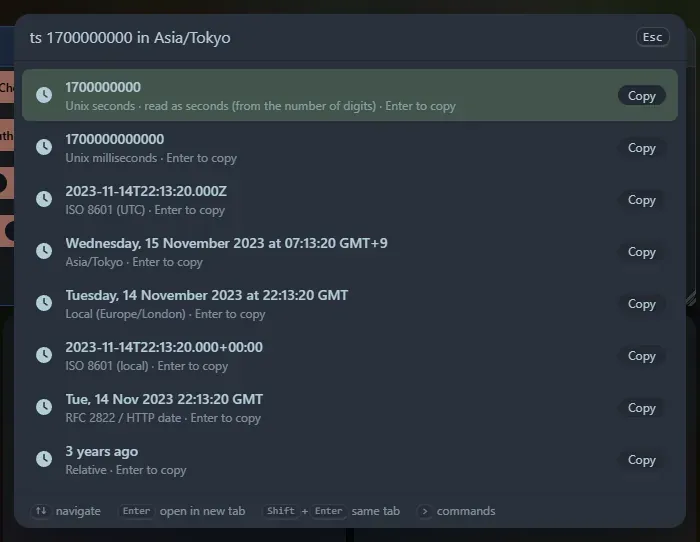
What it shows
Section titled “What it shows”Unix seconds, Unix milliseconds, ISO 8601 in UTC and in your local zone (with offset), the date in your local zone, the RFC 2822 / HTTP date, and a relative description such as “3 days ago”.
What you can type
Section titled “What you can type”now(orts) for the current time.- A bare number of 9 or more digits, read by length: 10 digits are seconds, 13 are milliseconds, 16 are microseconds, 19 are nanoseconds.
- With the
tsprefix: any number, decimals, negatives and a unit:ts 1700000000.5,ts 1700000000000 ms. - ISO dates:
2026-11-06T12:00:00Z,2026-11-06T13:00:00+01:00,2026-11-06 12:00,2026-11-06. With no zone it reads your local time and also lists the values as if it were UTC. - Offsets from now:
ts +3d,now - 90 minutes,ts +1.5h(unitss m h d w). - Other date text with the
tsprefix is parsed by the browser:ts Nov 6 2026 12:00 UTC. - Add
in <time zone>for an extra row in that zone:1700000000 in Asia/Tokyo.
Copied conversions are saved in Recent; reopening one re-runs it, so now is the current time again.
Support the project: Buy Me a Coffee or GitHub Sponsors.