
Search
There are two ways to search, and they complement each other.
The search box
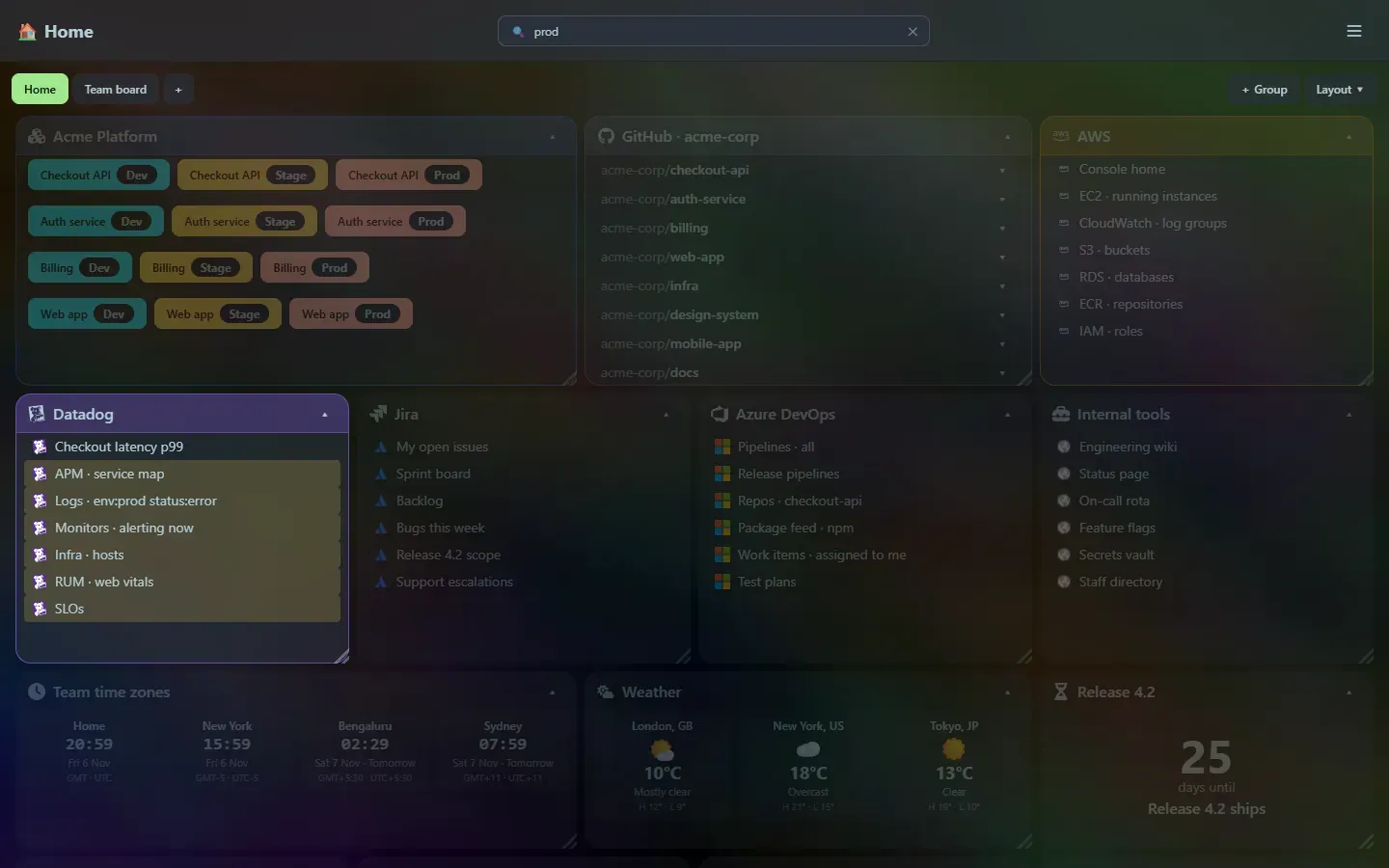
Section titled “The search box”The search box in the top bar (press / to focus it) filters the dashboard live by tile title, link title and partial URL. Matching tiles open up and the matching links are highlighted; the other tiles fade out. Press Esc to clear it.
The launcher
Section titled “The launcher”Ctrl+P opens the launcher, which searches the same things as a list you can jump from, and also recognises calculations, conversions and tool input. See Launcher search.
Support the project: Buy Me a Coffee or GitHub Sponsors.