
Dashboard
The project dashboard is the best place to start. It shows an overview of the project, quick links into the Kanban, Backlog and Bugs pages, and an Assigned to you section.
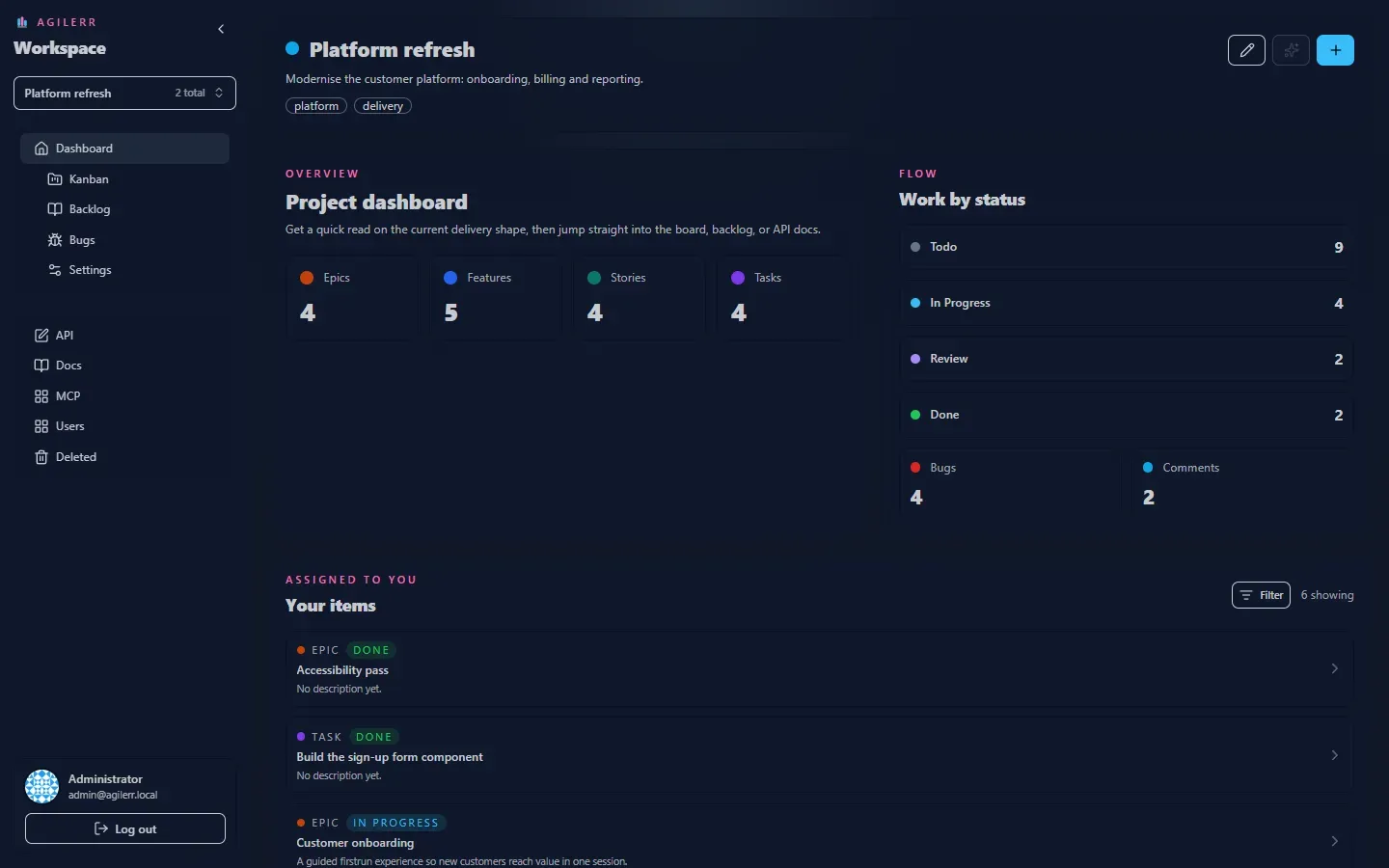
Assigned to you
Section titled “Assigned to you”Items assigned to you are listed here with the same type filtering as the backlog, so you can focus on only the kinds of work you care about (for example just tasks).
Quick links
Section titled “Quick links”The dashboard links to the main pages for the project. System admins also see links to the API docs.
Sidebar
Section titled “Sidebar”The sidebar is the same on every page: switch project at the top, then Dashboard, Kanban, Backlog, Bugs and Settings for that project. Below are the system pages: API, Docs, MCP, Users and Deleted. Collapse it with the arrow at the top to get more room.
Keyboard: G then D jumps to the dashboard. See Keyboard shortcuts.
Support the project: Buy Me a Coffee or GitHub Sponsors.