
Bugs
Bugs are managed outside the Epic → Feature → Story → Task tree, on a project-wide Bugs page.
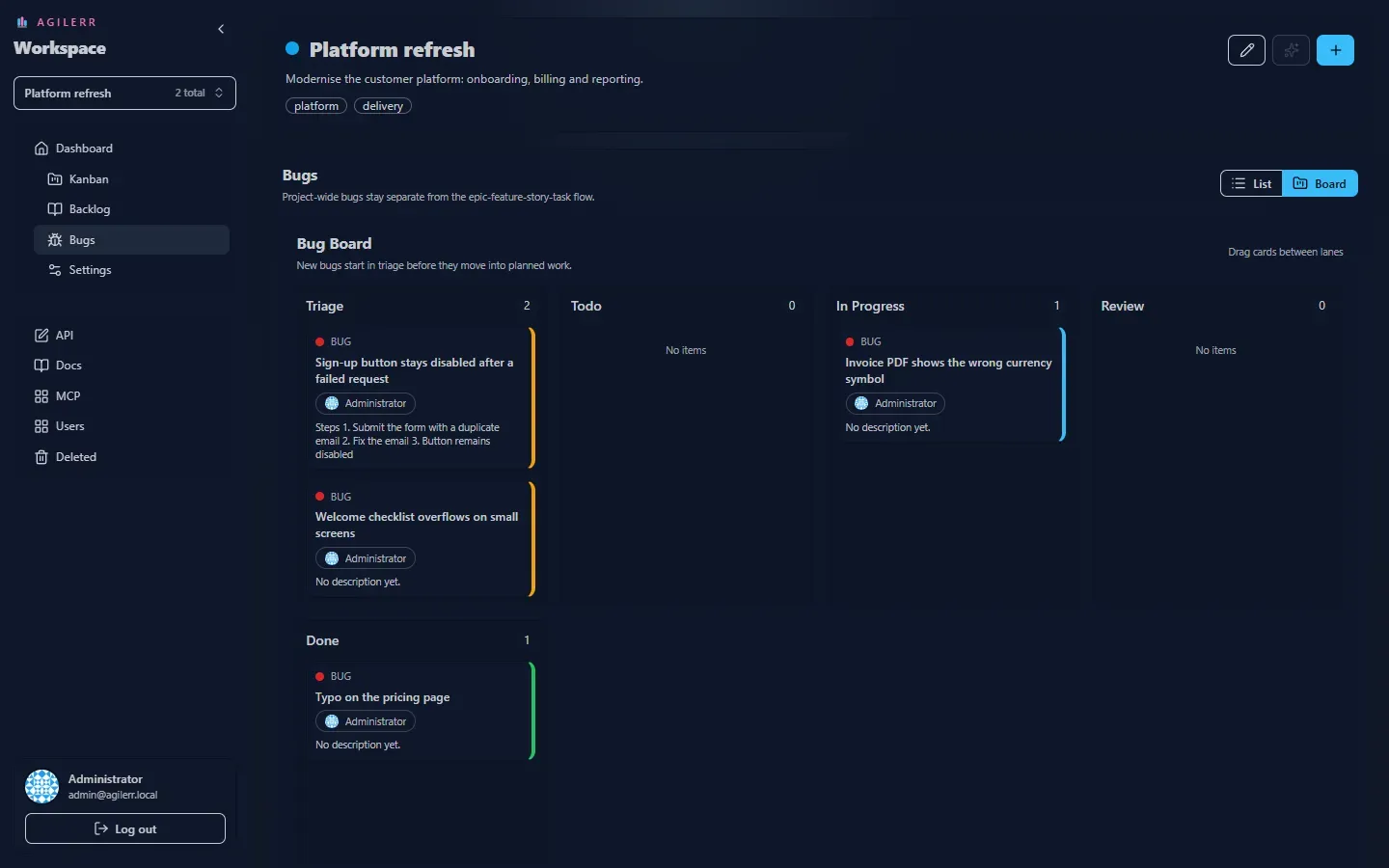
The Bugs page has a list view and a board view.
Triage first
Section titled “Triage first”New bugs start in triage. The idea is to validate the issue (reproduce it, confirm it is real, give it a priority) before it enters the main delivery flow.
Priority
Section titled “Priority”Every bug can have a priority: critical, high, medium or low. See Statuses and priorities.
Tags and comments
Section titled “Tags and comments”Bugs have tags, Markdown descriptions and comments like any other item. A good description lists steps to reproduce.
Permissions
Section titled “Permissions”You need View Projects and View Units to see bugs, and Edit Units to raise and change them.
Keyboard: G then U jumps to bugs.
Support the project: Buy Me a Coffee or GitHub Sponsors.